


Once you find someone on Substack you're interested in reading, you have a decision to make: Subscribe or Follow. Here's the difference: you Subscribe to Newsletters; you Follow individuals.
A second difference is that if you Subscribe, you'll receive a copy of the Newsletter by email; the Newsletter will also appear in your Substack Subscription feed. If you Follow, you won't receive an email or see the individual's Newsletter in your Subscription feed. Instead, you'll see the newsletters, along with all other posts, only on your Home page, and if you Follow a lot of accounts, there's no guarantee you'll see it at all unless you interact with that account frequently.
For example, if you Subscribe to my Newsletter, then you'll receive a copy by email whenever I post a Newsletter—unless you turn off that option (see an upcoming Tip to learn how to do that). In addition, a copy will appear in your Subscription feed (click the envelope or grid icon on the left of your Home page to see a list of your posts of your Subscriptions).
If you don't want to receive my posts either by email or in your Subscription feed, or for the Subscription to show in your Reads list (where others can see what you subscribe to; see below), you can still Follow me, the individual who owns the Newsletter's account. Then you'll see my Newsletter posts on Substack if I post a Note about that Newsletter or provide a link to it in Notes—which I really should do if I want anyone to read it!
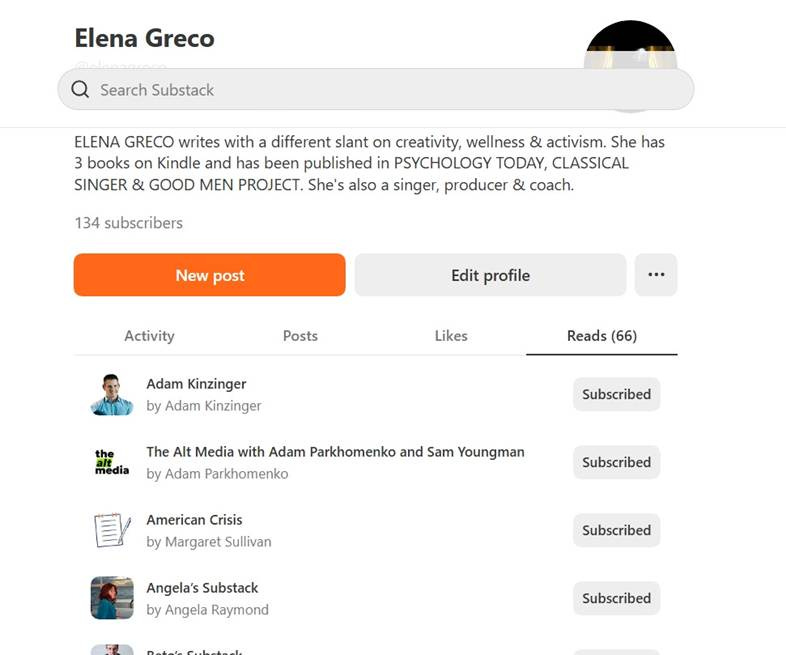
A third difference is that Newsletters to which you Subscribe are listed on your profile under the Reads tab. That provides passive reciprocal promotion (my favorite kind!). Accounts you Follow do not appear publicly in this way.
For example, if I've subscribed to your Newsletter, it appears in my Reads tab. Then anyone interested in me or my account can peruse my Reads list (I do it all the time when I encounter a new Substacker that interests me) and see and learn about you and your Newsletter that way. That's just one more easy way Substack offers seamless, effortless exposure without any need for "marketing."
To see what a person subscribes to, go to the person's profile, look at the tabs below their name and description, and find the Reads tab on the far right (see below).
To Follow a Substacker, rather than Subscribe to their publication (newsletter), go to the individual's profile, click on the ellipsis (3 dots) on the right side, and choose Follow (see below).
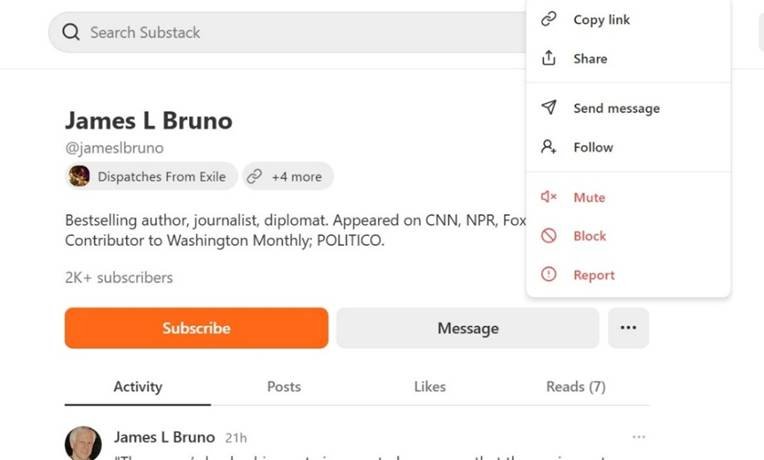
It will not be public that you’re Following the individual, and you will see both their Notes posts and links to or notifications of their newsletter posts on your Home page.
However you choose to learn of new posts, now you can enjoy the incredible variety of writing available on Substack!